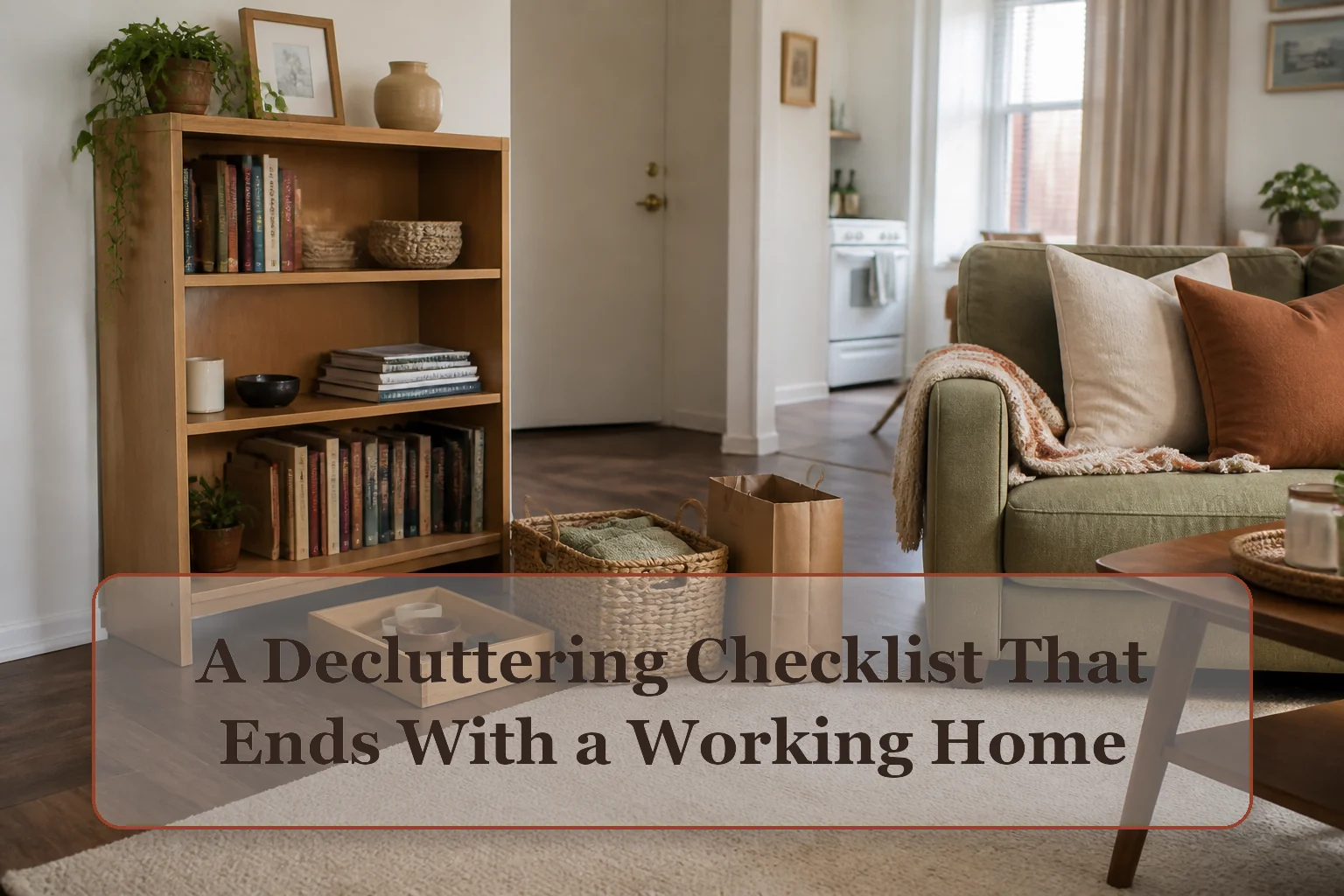
Use the tool: Work toward the capacity stop rules by zone; test it with the real items and route before expanding storage.
Set the boundary before you touch anything
- Name the function: Write what the area must let you do: sleep, cook, sit, dress, enter, or clean. An item that repeatedly blocks that action is already giving you useful evidence.
- Choose one visible boundary: Use one drawer, one shelf, one counter segment, or the floor between two doorways. A room is often too large to be a first boundary.
- Prepare four exits: Keep, relocate, leave the home, and trash or recycling are enough. Do not create a fifth pile called decide later unless it has a dated container and a small limit.
The room-order decluttering checklist
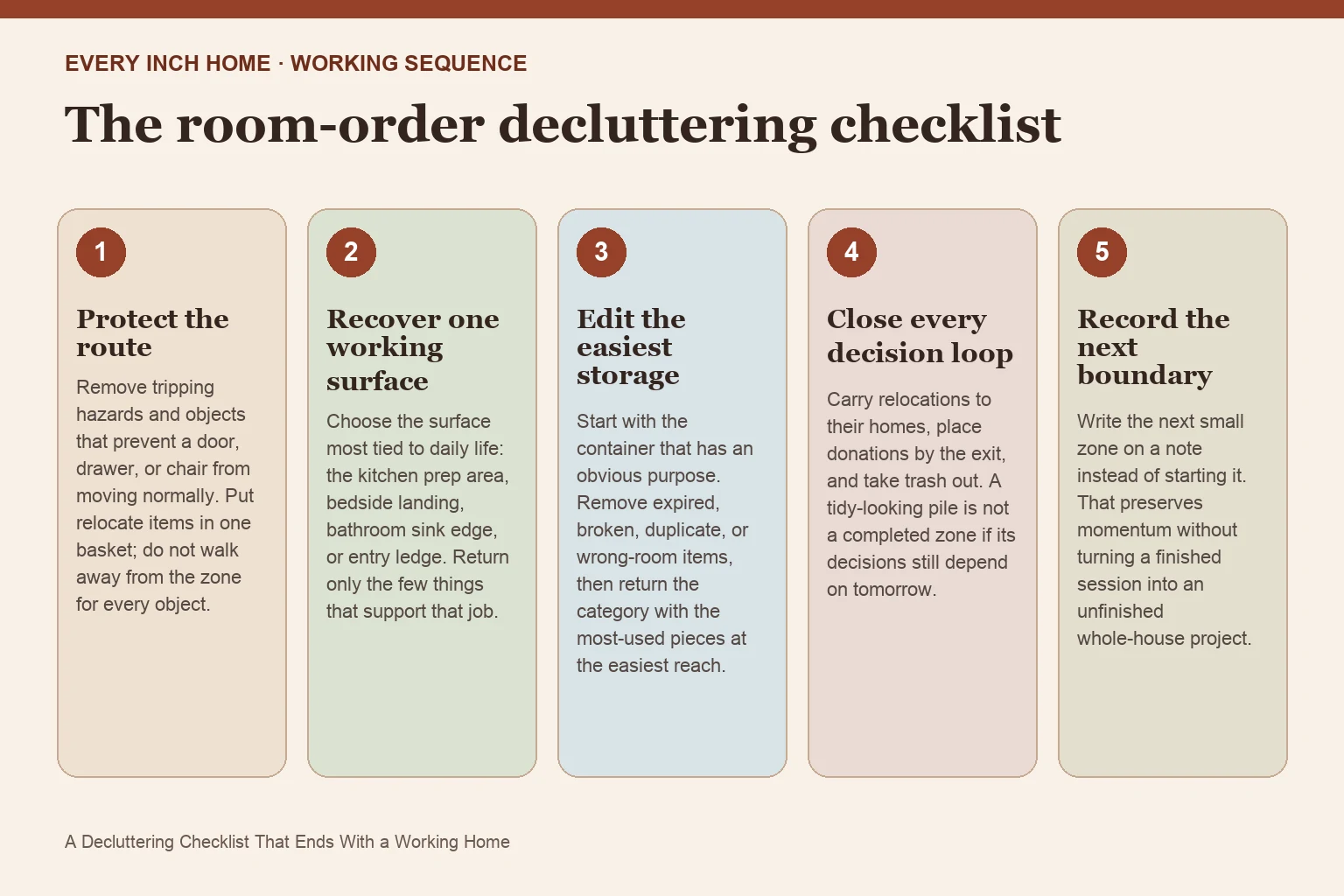
1. Protect the route
Remove tripping hazards and objects that prevent a door, drawer, or chair from moving normally. Put relocate items in one basket; do not walk away from the zone for every object.
2. Recover one working surface
Choose the surface most tied to daily life: the kitchen prep area, bedside landing, bathroom sink edge, or entry ledge. Return only the few things that support that job.
3. Edit the easiest storage
Start with the container that has an obvious purpose. Remove expired, broken, duplicate, or wrong-room items, then return the category with the most-used pieces at the easiest reach.
4. Close every decision loop
Carry relocations to their homes, place donations by the exit, and take trash out. A tidy-looking pile is not a completed zone if its decisions still depend on tomorrow.
5. Record the next boundary
Write the next small zone on a note instead of starting it. That preserves momentum without turning a finished session into an unfinished whole-house project.
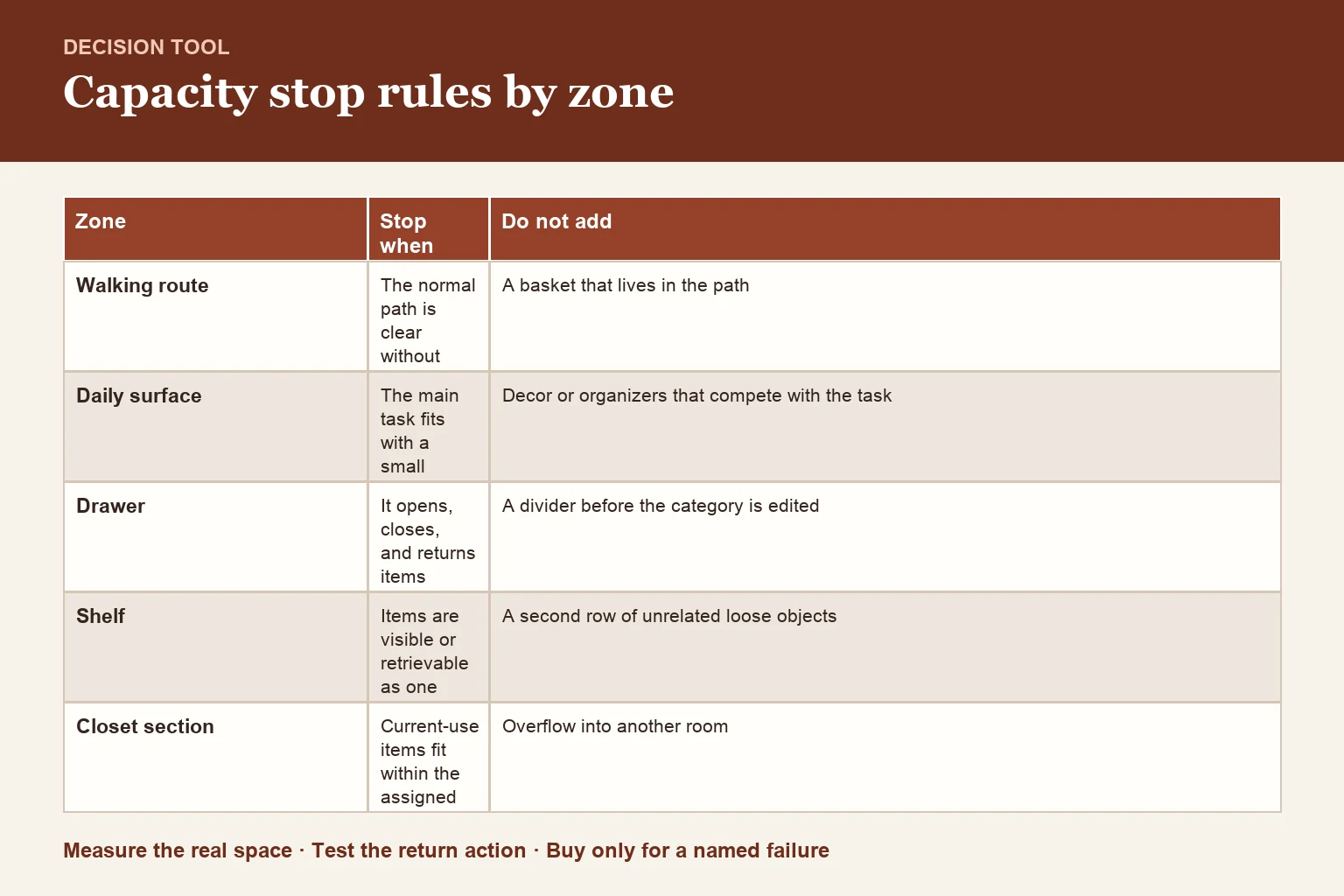
Capacity stop rules by zone
| Zone | Stop when | Do not add |
|---|---|---|
| Walking route | The normal path is clear without sidestepping | A basket that lives in the path |
| Daily surface | The main task fits with a small landing area | Decor or organizers that compete with the task |
| Drawer | It opens, closes, and returns items without compression | A divider before the category is edited |
| Shelf | Items are visible or retrievable as one group | A second row of unrelated loose objects |
| Closet section | Current-use items fit within the assigned rod or shelf | Overflow into another room |
When the checklist says the zone is finished
Finished does not mean empty or photo-ready. A zone is complete when its job works, the assigned category fits inside the boundary, frequently used items can be returned in one motion, and every leaving item has physically left the zone. If those tests pass, stop. Extra editing can wait for a later maintenance round.
Use a 10-minute close, not an open-ended cleanup
Set the last ten minutes aside for closing loops. Return the relocate basket, move the donation bag to the exit, remove trash, wipe the newly clear surface, and photograph the finished boundary for your own reference. If time expires before the sorting is done, return undecided items neatly to the same zone and schedule that same boundary again; never spread them into a new room.
Frequently asked questions
What room should I declutter first?
Start where blocked function costs you every day. That may be the entry route, kitchen prep counter, bed, or bathroom sink—not necessarily the messiest room.
How long should one decluttering session last?
Choose a duration you can close properly. Twenty to forty minutes is often enough for one drawer, shelf, or surface plus a ten-minute decision close.
What if I cannot decide whether to keep something?
Ask whether it supports the zone's named function, fits its boundary, and would be replaced if lost. A small dated review box can hold true uncertainties, but it needs a firm capacity limit.